
When it comes to construction inventory management, most companies start with a spreadsheet and a shop foreman’s memory. That works for a while, until the same part turns up on two invoices referencing the same machine and nobody can verify where the second part went, who asked for it, and whether it was ever physically received.
If you’re an equipment manager, you’ve probably experienced this in the past month. You may also be the one who has to justify a software purchase to fix it, which means you need answers to questions like these:
- Which features will work when a mechanic is out on a site with a phone and no connection?
- Does the system show where the parts are or only the total quantity on hand?
- Will it connect to the accounting and costing tools we already use?
- How much time will my team spend keeping it current, and who will do that work?
This guide answers those questions, so you can tell which systems actually track maintenance and repair parts the way your business uses them and what’s worth investing in for your fleet maintenance operation.
What Is Construction Inventory Management, and Why Does It Matter?
Construction inventory management for fleet maintenance programs involves building out parts catalogs, defining preferred vendors, determining agreed upon pricing, and several other important aspects that will be covered later in this writeup. A construction inventory management solution should also keep track of where parts are currently located, when they were installed on a machine, and when they were removed from a machine.
Many contractors who’ve outgrown a spreadsheet look first at manufacturing software solutions, because it’s easy to think, “If it is good enough for industries that live and breathe inventory, it should work for us.” However, there are some key distinctions. Warehouse systems receive stock, store it, convert it into a finished product and ship it out, and they’re built to answer two questions well:
- Does the count on the floor match that in the system?
- What is the cost of inventory on hand across the various different processing stages?
Here is where manufacturing inventory systems get lost in translation when coming over into construction:
- Manufacturing inventory systems track raw materials as they get assembled into work in progress and, finally, converted into finished goods.
- Manufacturing deals with a standard list of SKUs that don’t change frequently.
- Purchases are often made in bulk and rely on a robust shipping and receiving process as the starting point.
- Inventory locations are static and don’t change frequently.
- Manufacturing doesn’t have a need to track warranties on purchased parts.
Inventory management for fleet maintenance programs don’t require this sophistication stated above for the following reasons:
- Contractors typically purchase parts without any need to convert to a finished good. They are getting installed on long lived assets that stay in the fleet for years.
- Contractors with mixed fleets and a wide range of makes, models and years can have a plethora of parts needed. When you take into account that parts can change based on serial number breaks, the complexity regarding machine to parts compatibility gets more complex.
- Purchases are often made just in time and don’t require complex shipping and receiving flows.
- Inventory locations can be a parts room, mechanic truck, or a Connex box located at a construction site.
- Components typically have a manufacturer’s warranty associated with them, and having the visibility into install date and hours/miles accumulated on a part are important to track.
Maintenance software gets mixed up with inventory software too. A CMMS software (computerized maintenance management system) tracks service intervals, repair history, and work orders. Inventory software answers a different set of questions: do we have the part on hand, where is the part located, is it compatible with our machines, and what is our parts’ quantity. Many contractors end up needing both.
When considering a contractor’s maintenance program, the CMMS and the inventory system each cover a segment of the whole process. When robust solutions are selected, they can complement each other in ways that level up maintenance programs, which helps reduce the cost of maintaining a fleet.
The Transforming Power of the Right Construction Inventory Management System
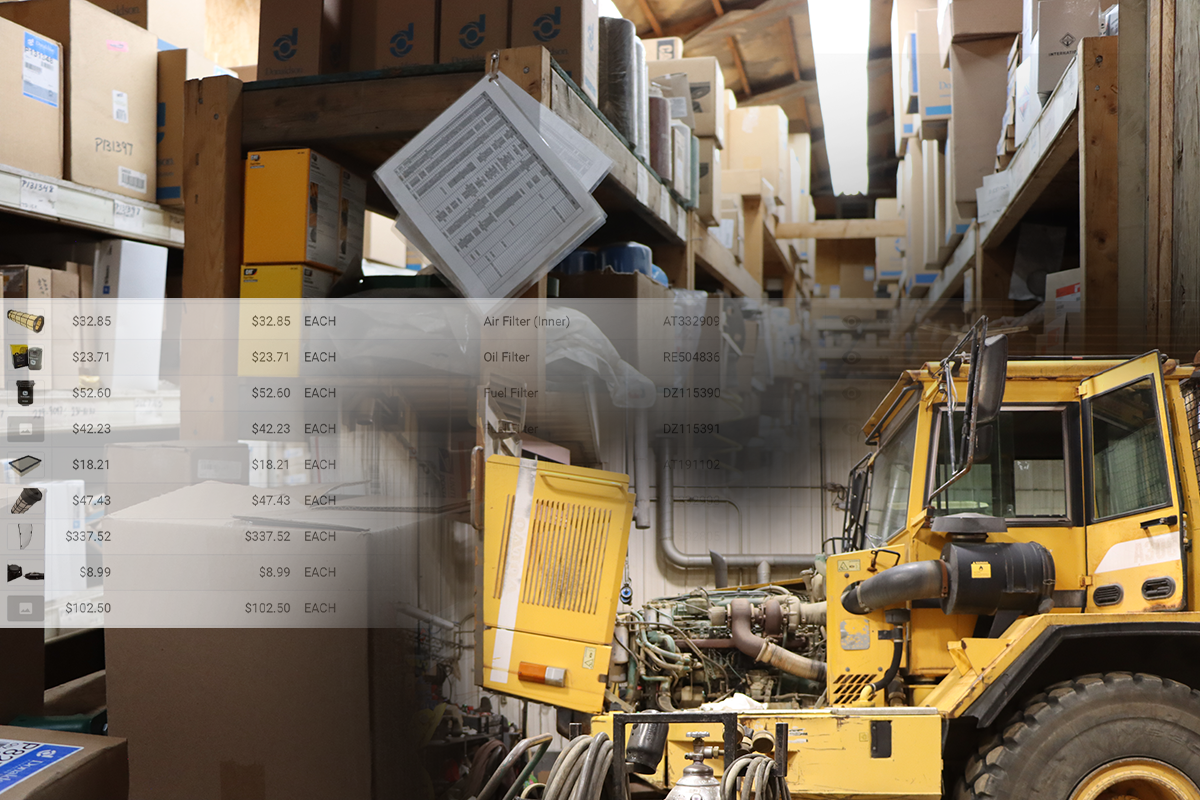
Mountain States Constructors, Inc (MSCI), a heavy civil highway contractor serving all of New Mexico, manages thousands of assets. Before it started using Tenna’s parts inventory tool, shop staff often spent 15 minutes searching for a part they knew was somewhere in the warehouse. Unused parts often didn’t come back in time. Now, each part has a bin and row location, equipment profiles list the parts each machine needs, and work orders draw from the same inventory. The shop can find parts faster, return unused stock sooner, and separate true repair costs from routine maintenance when deciding whether to replace a machine.
How Inventory Management Software Works for Contractors
Construction inventory management system answers two questions for every asset and part: where it is and how much of it is on hand, and it accomplishes this using a few core functions that all feed the same record:
Receiving & Consuming Parts
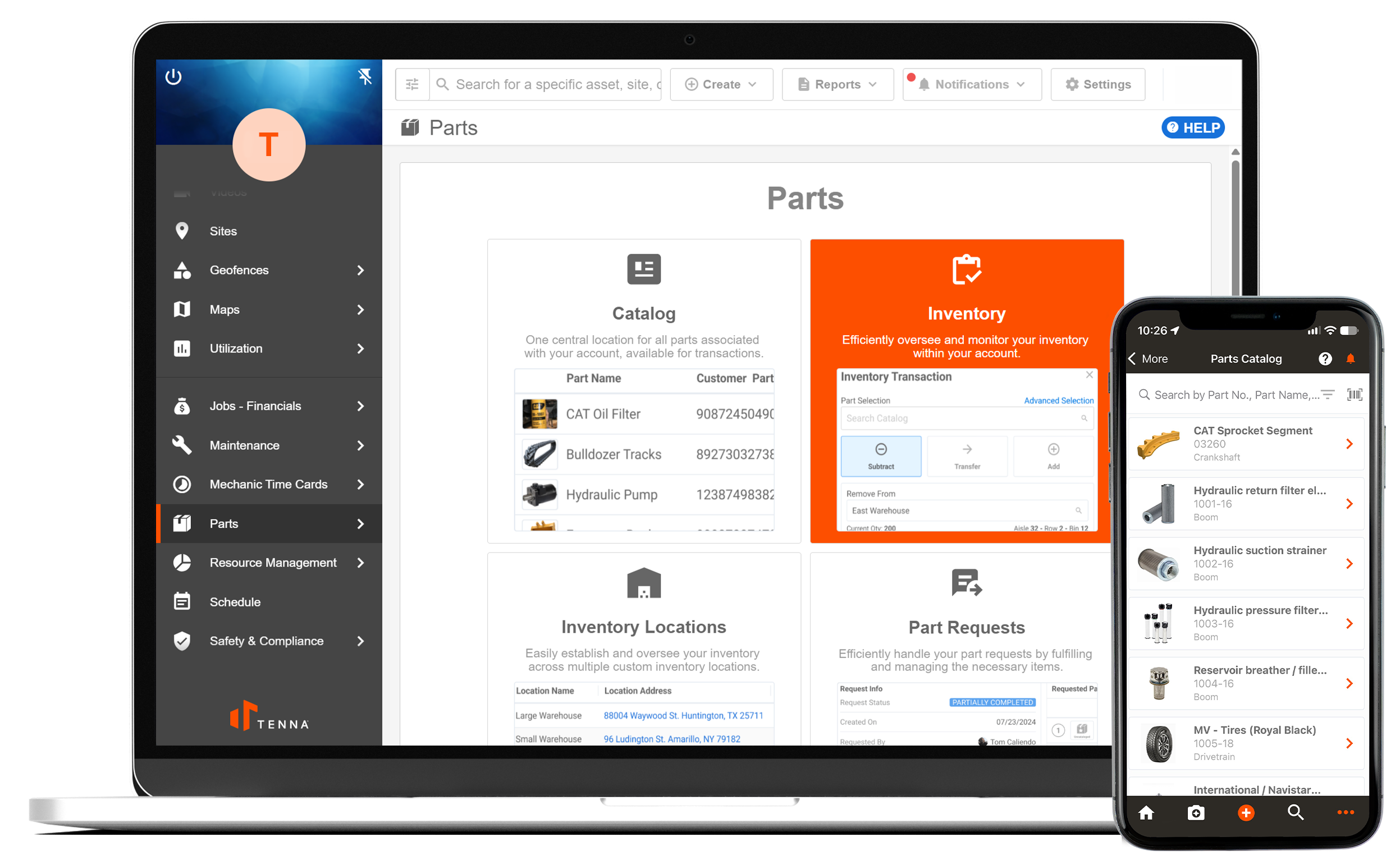
Every part gets a record and an identifier, usually a barcode or QR code associated with the part. When parts come in, users can scan the part using a mobile device to add, subtract, or transfer inventory quantities. When a mechanic pulls the part for a maintenance need, it can be added to the work order.
Parts Requests
As mechanics are diagnosing the cause of a mechanical deficiency in a work order, they can simply submit a request that routes to their manager. If the parts are on hand, they can be pulled and provided to the mechanic and later committed to the asset once installed. If the parts aren’t on hand, supervisors can leverage the parts request ID to place an order with the dealer’s parts counter to ensure that invoices can be tied back to an approved order.
Alerts for Low stock and Overdue Items
Some systems check the records against thresholds you set. Tenna, for example, lets you define minimum quantities for each part and sends an alert when stock falls below that level, which helps prevent inventory shortages that stall a repair. Ask any inventory solution vendor which alerts they support and whether they cover equipment returns or only parts levels, since that difference can matter a lot to your operation.
When To Upgrade From Spreadsheets to a Dedicated Inventory Management System
A spreadsheet works as long as someone remembers to update it with what is in their head. However, when one person can no longer hold the whole picture in their head, that is where the system breaks and things fall through the cracks. Most contractors don’t notice the moment it stops working. They notice when a problem costs them real money.
These are the signs that show up most often:
- Multiple people execute workflows in the same sheet. Nobody can tell which copy is current, so the team ends up working from the wrong numbers.
- Finding an item takes an afternoon. The system shows that it should be there, but it physically isn’t. When did it get consumed? Was it authorized or did it grow legs and walk off?
- Someone spends hours each week reconciling the sheet. That time is already a cost, even if nobody has put a number on it.
If any of these sound familiar, the spreadsheet has probably outlived its usefulness. A dedicated construction inventory management system makes the most sense for a company with parts locations spread across several shops, trucks, or sites, multiple people checking items in and out, and equipment costs that depend on knowing where things were. If that’s how your operation runs now, tracking it all by hand isn’t realistic anymore. You’d be spending more time keeping the record accurate than using it.
For MSCI, they knew they needed construction inventory management that could support maintenance of more than 1,100 assets spread across New Mexico. The parts were already on the shelves. What they lacked was one place that showed what they had, where it sat, and which repair it was meant for. Once that information lived in one streamlined platform, the shop stopped losing time to searches and reduced duplicate parts purchases.
“My favorite part about Tenna is that all of the components are in one system. It’s nice to be able to jump from the maintenance side to safety and compliance, to inspections, to parts… And really have it all easily accessible.” — Dayton Cox, MSCI Shop Manager
If your equipment is still tracked in a spreadsheet, this free equipment tracking template gives you a clear view of your fleet to help you decide whether it’s time to move to a dedicated system.
Essential Features to Look for in Construction Inventory Software
Vendor feature list dozens of items, but four of them decide whether a system holds up for a contractor using inventory for maintenance purposes.
- Mobile access that works in the field. Mechanics need to scan, check out, and update records from a phone with weak signal. Ask the vendor to demonstrate offline scanning on a phone, not from a laptop in the office.
- Equipment and parts in one record. You are able to track key datapoints on the equipment and track insights associated with the maintenance and repair parts. Is the parts warranty expired? How many hours have passed since the part was installed? What is the average life of this part across machine classes?
- Multi-location tracking. Shop, sites, and mechanic trucks should each show up as a location, with a clear view of what sits where. Regardless of whether the inventory location is mobile or static, capturing clear insights on parts locations is key.
- Procurement tied to inventory. Before a purchase request goes out, the system should show whether the item is already on hand somewhere else. Most duplicate orders happen because nobody checked, not because anyone was careless.
When you compare options, test all four against a real life scenario. Ask the vendor to demonstrate how to remove the part from inventory and commit to a piece of equipment. A system that handles that walkthrough cleanly will likely handle your daily work the same way.
Taking It Step Further: Parts Inventory
The right construction inventory management system will also record what each part cost against the machine, so historical equipment cost reports reflect actual spending. It should also be able to support the ERP you already use, so those costs reach the right work order without anyone re-entering them. On the purchasing side, the system should show what’s already on hand by location before anyone places an order, which prevents duplicate purchases.
How to Evaluate and Compare Inventory Management Systems
A great way to assess software is to start with your own processes. Pull three recent repair work orders and list the parts each one used, where those items came from, and who signed them out. That list becomes your test. Any system you consider should handle every line on it without a workaround.
During this process, ask every vendor the same questions: How long will setup take for an operation of your size? How much training do mechanics and supervisors need before they’re able to use the software? Are there training resources to accelerate the learning curve?
Then, when you start to compare vendor quotes, assets onboarding requirements, and the time savings for your team, keep this in mind: the cheapest license can often be the most expensive system to run.
And as you’re shopping around, there are a few warning signs that are worth watching for early:
- The demo only works with clean sample data
- Offline mode is described as something coming later
- If they say they can handle a use case, trust but verify the claim. Ask them to show you
- Clarify access to data; avoid becoming a hostage with digital handcuffs
Once you’ve narrowed the list, score each finalist on the four features from the previous section and on the walkthrough test.
There are countless platforms out there, and it can be overwhelming to know which ones deserve your time. To help you out, we’ve done the work for you. Browse this roundup of the best construction inventory management systems to help you build a shortlist of software options to look into first.
Take Control of Your Construction Inventory with Tenna
If your team is still running parts and equipment records through a mix of spreadsheets and phone calls, the problems covered in this guide probably sound familiar. No matter what your current technology stack includes, the next step is the same: put a few real systems side by side and see which one your team can use every day without workarounds.
Tenna has built the parts solution for construction equipment managers. Its parts solution shows inventory quantities and locations across shops, mechanic trucks, and other storage locations. Each installed part is tied to equipment, its life with the machine, and the work order associated with the complaint, cause, and correction. Low-stock alerts ensure the critical parts are always there, and the parts data connects to your equipment records, so costs land on the right machine. If you want parts and the rest of your fleet in one place, the equipment management platform brings asset tracking and maintenance together.
The fastest way to judge any of this is to see it with your own work. Bring one of your recent repair work orders to the vendor and ask how the solution can fit your needs. If the system can handle that your work flows cleanly, you’ll know quickly whether it deserves a closer look.
