Updated on October 28, 2026
Most contractors now have some kind of digital equipment tracking, but that doesn’t mean they can see what their fleet is doing. A 2026 study, found that about 75% of fleets still rely on manual logs, either alone or alongside digital systems. But manual logs are out of date by the time they’re reviewed, so decisions about where machines go, when they get serviced, and whether they’re needed at all end up based on yesterday’s information.
The wrong construction equipment management software can leave the same gap in place. A platform that tracks only location, or only maintenance, leaves managers switching between systems to piece together the picture. The right software brings location, utilization, maintenance, cost and more into one view, so the people in the shop, the field, and the office are working from the same data.
In this blog, we’ll explore the leading construction equipment management platforms and how each one handles the things that matter most for mixed fleets.
Key Takeaways
- Tenna combines tracking, maintenance, dispatch and ERP integration on one platform, which makes it the broadest choice for mixed heavy-civil fleets.
- Trackunit focuses on off-road machines and attachments, with OEM data feeds from major equipment brands.
- Samsara and Motive focus on on-road vehicle safety, including video and driver hours.
- Geotab offers hundreds of integrations through its marketplace, but its off-road product has not yet been released for general availability.
| Rank | Solution | Owned or rented fleets | Best for | Key strength |
|---|---|---|---|---|
| 1 | Tenna | Both | Contractors with mixed fleets across multiple job sites, from off-road machines and on-road vehicles to tools and attachments | One platform for tracking, maintenance, dispatch, safety and video telematics |
| 2 | EquipmentShare | Both | Contractors wanting to generate return on unused equipment by renting it to third parties | Works with any equipment make |
| 3 | Trackunit | Both | OEMs and rental houses for utilization, location tracking and theft prevention | Off-road telematics and attachment tracking |
| 4 | Geotab | Both | On-road fleets with some off-road applications; limited workflows outside of the safety feature | Broad integrations; off-road product due 2027 |
| 5 | Samsara | Both (Rented equipment only through APIs) | On-road fleets with some equipment; limited workflows outside of the safety feature | Safety monitoring and video |
| 6 | Teletrac Navman | Both | Contractors wanting GPS tracking only across mixed fleets | Best suited for commercial trucking applications and safety monitoring |
| 7 | HCSS Equipment360 | Mainly owned; limited rented capabilities | Mixed fleet contractors that maintain their own equipment. | Maintenance and service history, with bolt-on solutions for additional features |
| 8 | Motive | Owned | On-road fleets focused on safety | Driver safety and expense tracking |
| 9 | VisionLink | Owned | Contractors with Caterpillar equipment | Caterpillar equipment data, parts catalogs, maintenance and service history |
| 10 | Trimble B2W | Both | Heavy highway and civil contractors maintaining their own fleet, estimating & job site management | Maintenance, service history, and scheduling |
Methodology: How We Evaluated These Platforms
This guide evaluates software using publicly available documentation, vendor information, customer reviews, and industry expert review.
Publisher Note:
This guide is published by Tenna. While Tenna is included in this list, all vendors were evaluated using the same scoring criteria described in the methodology section below.
Scoring Criteria
| Criteria | Weight |
|---|---|
| Features & functionality | 35% |
| Integrations & telematics support | 25% |
| Customer support & implementation | 20% |
| Contract flexibility | 20% |
Data Sources
- Vendor websites and documentation
- Customer reviews and case studies
- Industry publications and fleet management benchmarks
- Interviews with equipment managers
Editorial Review
Reviewed by a construction technology specialist with experience implementing equipment management systems across civil, utilities, and heavy construction fleets.
1. Tenna
Overview
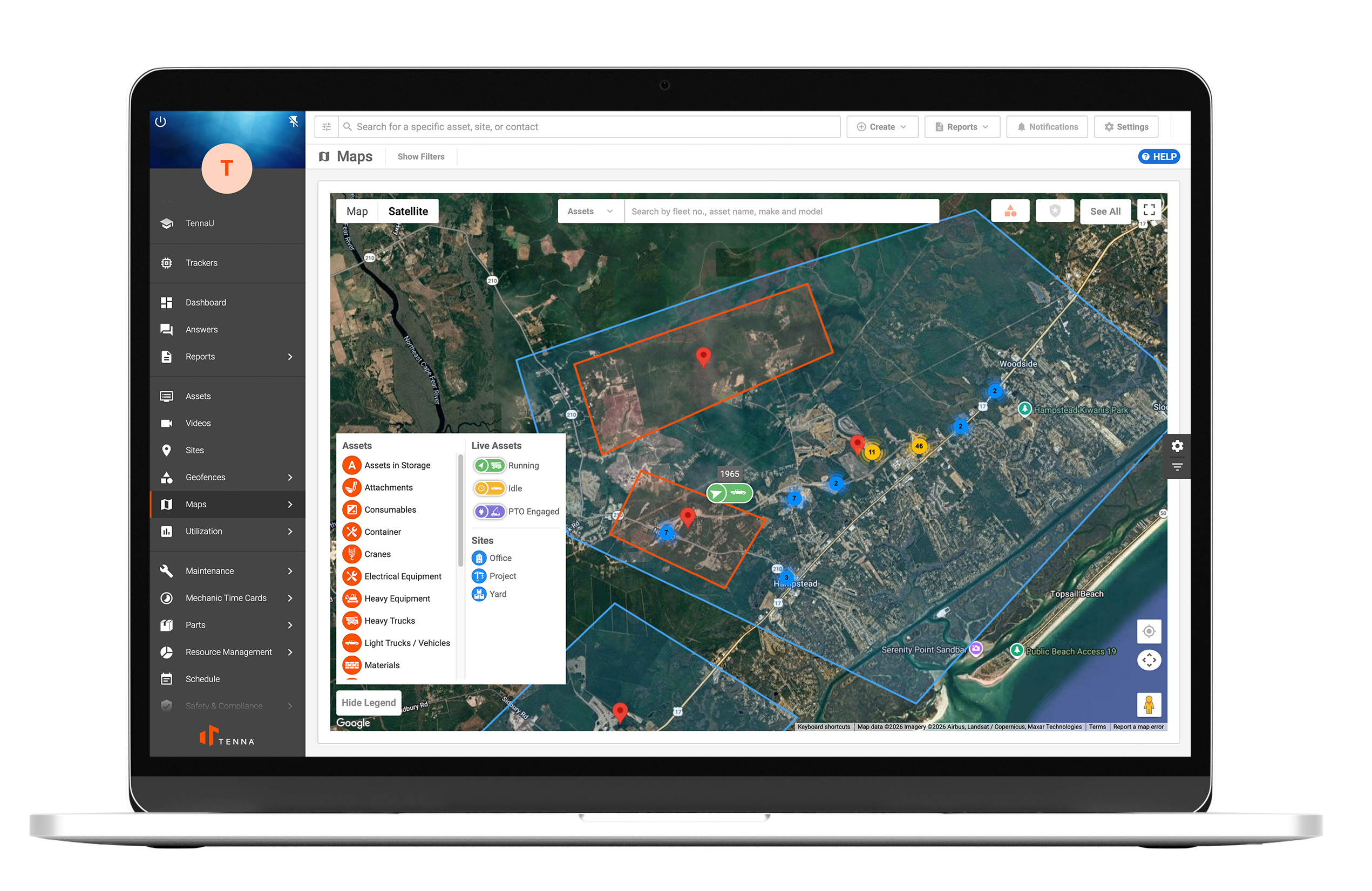
Tenna is a construction-focused equipment management platform designed to track mixed asset fleets, including heavy equipment, trucks, tools, attachments, and consumables. The platform connects field crews, maintenance teams, and office staff to manage utilization, maintenance, and jobsite asset allocation. With one connected, consolidated system, contractors can make smarter equipment operations decisions based on data and insights.
Best For
Construction companies managing mixed fleets and multiple job sites.
Key Features
- Mixed fleet asset tracking
- Safety dash cameras for fleet and heavy equipment
- Digital inspections and automated compliance workflows
- Preventive maintenance and work order management
- Parts inventory management
- Mechanic timecards
- Equipment dispatch and transfer management
- ERP and accounting integrations
- Utilization analytics dashboards
| ✅ Pros | ❌ Cons |
|---|---|
|
|
Integrations
Accounting and ERP systems, SaaS integrations, OEM and equipment rental integrations, fuel management integrations, and parts procurement integrations.
Contract Terms
Custom contracts depending on fleet size and hardware deployment.
Mobile Support
Tenna offers iOS and Android mobile apps for tablets and phones. Users can add maintenance data and complete inspections without an internet connection, and the data syncs automatically once they’re back online. Field teams can also submit repair requests with photos and voice memos.
Does it serve owned fleets, rented fleets, or both?
Both. Contractors track owned equipment, trucks and tools with their own rugged trackers, and they can also track rented equipment.

2. EquipmentShare
Overview
EquipmentShare is a construction equipment rental company that also offers its T3 platform for tracking and managing fleets. Contractors can rent the latest equipment and tools from it and use T3 to track their full fleet and put their assets to work.
Best For
Contractors who rent or buy equipment from EquipmentShare, and owners of mixed fleets who want to manage machines of any make through a T3 subscription.
Key Features
- Telematics on rented and purchased equipment
- T3 Fleet for monitoring equipment utilization, health, location and maintenance across mixed fleets
- Work order management, including opening work orders from the field
- Timecards that tie crew hours to projects
- Analytics reports covering billing, fleet care, geofences, usage and service
- E-logs for driver hours-of-service records
| ✅ Pros | ❌ Cons |
|---|---|
|
|
Integrations
T3 connects to OEM feeds from Caterpillar, Case, Komatsu, Takeuchi and Ditch Witch, plus its own tracker devices. Admins can create API keys directly in T3 to connect other systems.
Contract Terms
Contracts default to 12 months and renew automatically for 12-month terms unless the customer gives 90 days’ notice.
Mobile Support
EquipmentShare Rent app (available on iOS and Android) lets you manage and book heavy equipment and tools. It also integrates with T3 to deliver machine data, such as runtime, engine health, and GPS locations.
Does it serve owned fleets, rented fleets, or both?
Both. Customers who rent from EquipmentShare get T3 access with their rentals, and owners of their own machines can buy T3 tracking hardware and a subscription to manage owned equipment alongside rentals.

3. Trackunit
Overview
Trackunit is a Danish telematics and equipment management company built for off-road construction and rental fleets. Its platform covers machines, attachments and small tools, with products including Trackunit Manager for fleet management and Trackunit Raw for full off-road visibility.
Best For
Equipment manufacturers, rental companies and contractors whose fleets are mainly heavy machines.
Key Features
- Telematics for machines, attachments, and tools
- Utilization and location tracking
- Equipment health alerts
| ✅ Pros | ❌ Cons |
|---|---|
|
|
Integrations
OEM integrations across major equipment brands, plus an open API.
Contract Terms
Subscriptions start from hardware delivery and have a 36-month initial term, which automatically renews for 12 months unless otherwise agreed. Contract length can be 36 or 42 months depending on the deal.
Mobile Support
Trackunit Go is available for free on iOS and Android; it shows the full fleet, active alarms, scheduled services and machine event history. Trackunit On, a separate app for equipment access, is also available on iOS.
Does it serve owned fleets, rented fleets, or both?
Both. Contractors track owned machines with Trackunit devices and can view telematics from rented machines in the same dashboard.

4. Geotab
Overview
Geotab is a long-established telematics provider with a large on-road vehicle base. Its construction offering, Geotab Build, is coming soon and is designed to bring on-road vehicles and off-road equipment into one view, with productivity, safety and service metrics across the fleet.
Best For
OEMs, rental fleets and contractors that want one telematics view across trucks and heavy equipment, especially fleets already running Geotab on vehicles.
Key Features
- Single view of on-road vehicles and off-road equipment
- Ruggedized GO9 telematics device rated IP68 and IP69K
- AEMP 2.0 data from Caterpillar, John Deere and Komatsu equipment
- Modbus support for specialty equipment such as generators and pumps
- Geotab Marketplace, with hundreds of integrations through MyGeotab
| ✅ Pros | ❌ Cons |
|---|---|
|
|
Integrations
Geotab Marketplace offers hundreds of integrations, spanning multiple categories, including AI dashcams, asset tracking, maintenance software, fuel management, and payroll connectors.
Contract Terms
Subscriptions typically run for 36 months, and ending early can incur significant penalties.
Mobile Support
Geotab has two mobile apps. Geotab Drive helps drivers keep their hours-of-service logs and complete vehicle inspections. The MyGeotab Fleet Management app lets managers check vehicle locations and diagnostics from anywhere. It is unclear if the new release of Geotab Build will have its own separate app.
Does it serve owned fleets, rented fleets, or both?
Both. Owned trucks and machines can carry hardwired GO9 devices, while AEMP 2.0 feeds can bring in data from rented equipment of supported brands, all within MyGeotab.

5. Samsara
Overview
Samsara combines telematics, fleet tracking, and video safety monitoring in a cloud platform that supports both on-road vehicles and off-road construction equipment to an extent.
Best For
Contractors prioritizing GPS tracking and safety monitoring of on-road fleets.
Key Features
- GPS tracking for vehicles and equipment
- OEM telematics integrations with manufacturers such as Caterpillar, John Deere, and Komatsu
- Geofence alerts for equipment movement
- Video-based safety monitoring and driver analytics
| ✅ Pros | ❌ Cons |
|---|---|
|
|
Integrations
Supports OEM telematics connections and third-party integrations via APIs and marketplace apps.
Contract Terms
Standard contracts are typically multi-year agreements, with 36 months being the default.
Mobile Support
Samsara has two mobile apps for iOS and Android, each built for a different role. The Driver App covers hours-of-service logs, routing, inspections and safety coaching for drivers in the field. The Fleet App lets managers track vehicles and assets in real time and review incidents from their phones.
Does it serve owned fleets, rented fleets, or both?
Both, for rented machines from supported OEM brands. Samsara is built mainly for owned on-road fleets, and it connects to OEM telematics from Caterpillar, John Deere and Komatsu.
6. Teletrac Navman
Overview
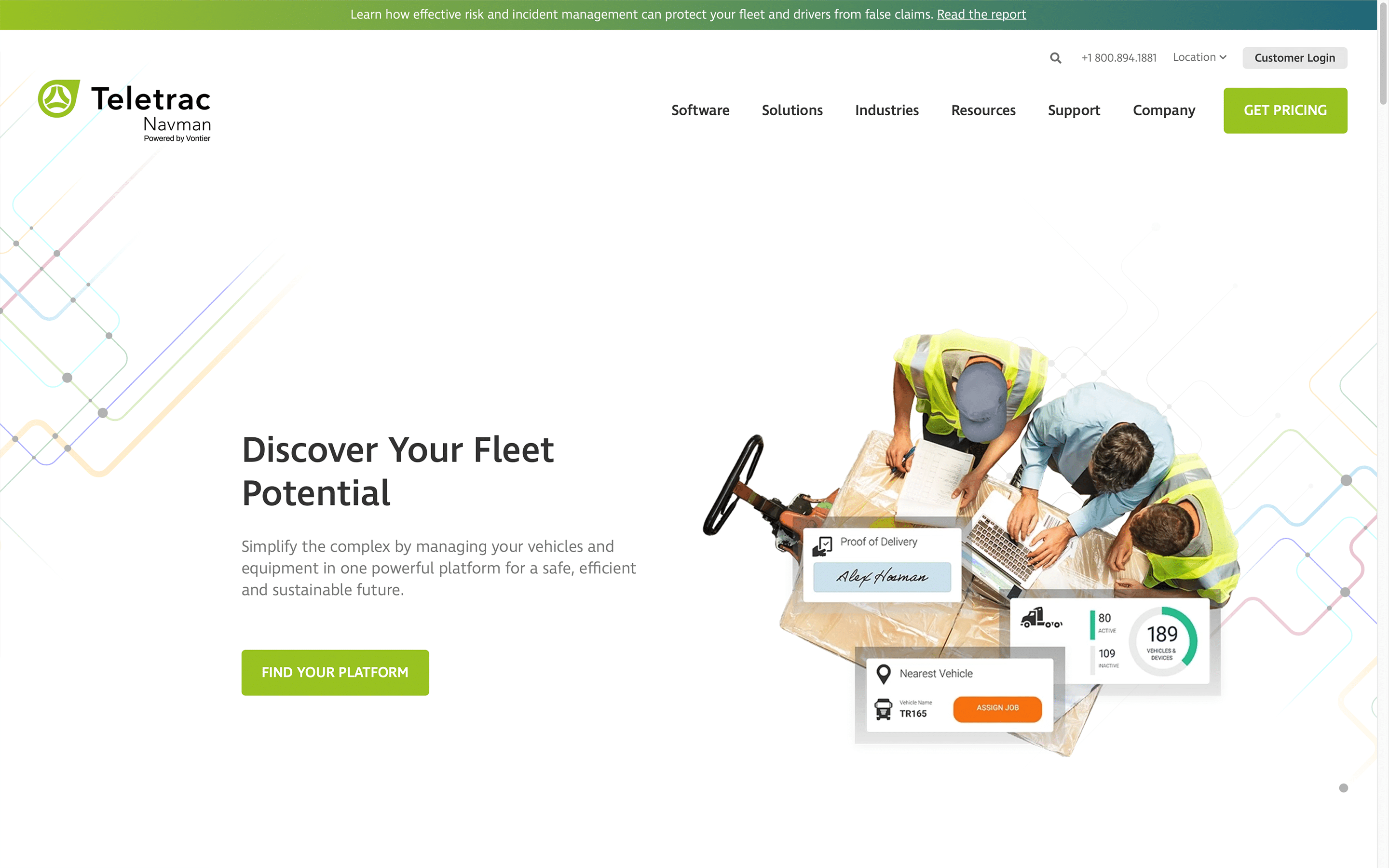
TN360 from Teletrac Navman centralizes equipment operations for construction assets. The platform tracks location, maintenance needs, and utilization across powered and non-powered equipment using tracking hardware.
Best For
Contractors that want GPS tracking only across mixed fleets.
Key Features
- GPS location tracking for equipment
- Engine hour monitoring for heavy equipment
- Utilization reporting for equipment usage patterns
- Mixed fleet dashboard showing powered and non-powered assets
| ✅ Pros | ❌ Cons |
|---|---|
|
|
Integrations
Supports OEM and aftermarket telematics hardware.
Contract Terms
Standard benchmark is a 36-month contract.
Mobile Support
Teletrac Navman’s TN360 platform takes a modular approach to mobile. Rather than one all-in-one app, it offers a set of separate apps that companies can download based on which tasks they need.
Does it serve owned fleets, rented fleets, or both?
Both. TN360 covers owned vehicles and machinery and accepts OEM and aftermarket telematics, so rented equipment is covered wherever its telematics feed into the platform.
7. HCSS Equipment360
Overview
HCSS Equipment360 is part of the HCSS construction software suite. HCSS provides several applications for estimating, operations, and equipment management used primarily by heavy civil contractors.
Best For
Construction companies already using HCSS software products for estimating and operations.
Key Features
- Equipment maintenance scheduling
- Equipment service history tracking
- Parts inventory tracking
- Mechanic productivity tracking
| ✅ Pros | ❌ Cons |
|---|---|
|
|
Integrations
Integrates with other HCSS products and telematics hardware.
Contract Terms
HCSS usually sells its software on annual subscriptions. Rather than committing to a multi-year contract, customers pay a yearly fee to keep their software license active.
Mobile Support
HCSS Equipment360 Mobile Mechanic runs only on Apple iPads. There is no Android version available.
Does it serve owned fleets, rented fleets, or both?
It is mainly designed for owned equipment. Equipment360 is built to keep owned machines maintained, and mechanics can also log repairs and field maintenance requests on rented equipment.
8. Motive
Overview
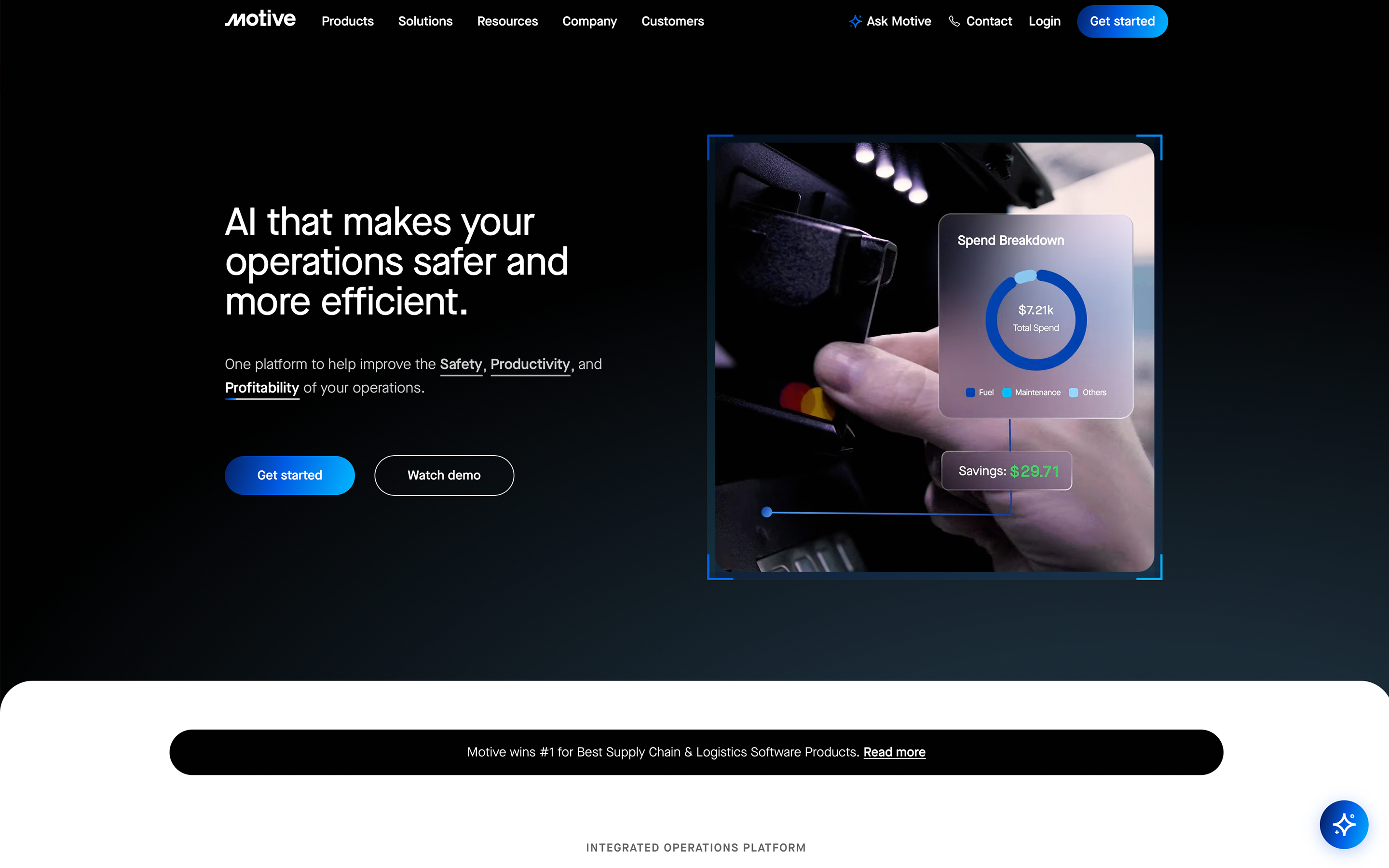
Motive combines telematics, safety monitoring, and spend management in a single platform using AI-powered cameras and fleet analytics.
Best For
Organizations focused on vehicle safety monitoring and telematics for on-road fleets.
Key Features
- GPS tracking and fleet visibility
- AI dash cams and driver safety monitoring
- Expense categorization for fuel, parts, and maintenance
- Compliance tools for fleet operations
| ✅ Pros | ❌ Cons |
|---|---|
|
|
Integrations
Supports integrations with various fleet and compliance systems.
Contract Terms
A 12-month minimum is normal, but longer agreements of up to 36 months are common for large enterprise and mid-sized fleets.
Mobile Support
Motive offers both Driver and Fleet applications, which are both available on iOS and Android.
Does it serve owned fleets, rented fleets, or both?
Motive is built for owned on-road vehicles, with ELD compliance, driver tracking and AI cameras.
9. VisionLink
Overview
VisionLink is Caterpillar’s telematics platform designed primarily for monitoring heavy equipment performance and location data.
Best For
Organizations operating large fleets of Caterpillar equipment.
Key Features
- OEM telematics data from Caterpillar equipment
- Equipment location tracking
- Utilization and idle monitoring
| ✅ Pros | ❌ Cons |
|---|---|
|
|
Integrations
Primarily integrates with Caterpillar equipment data feeds.
Contract Terms
Standard standalone software subscriptions are structured around a flexible month-to-month model.
Mobile Support
The VisionLink mobile app, developed by Caterpillar Inc., is available on iOS and Android. It was developed to combine VisionLink Unified Suite, My.Cat.Com, and the legacy Cat App into a single, streamlined mobile platform.
Does it serve owned fleets, rented fleets, or both?
VisionLink comes with new Caterpillar machines and tracks owned Cat equipment at the factory diagnostic level, and it’s optimized for Caterpillar machines.

10. Trimble B2W Maintain
Overview
Trimble B2W builds construction management software for heavy, highway and civil contractors. Its suite covers estimating, field tracking, dispatch and equipment maintenance. It doesn’t sell its own telematics hardware and works with telematics data from other providers.
Best For
Heavy, highway and civil contractors that need maintenance, dispatch and field tracking alongside telematics from another provider.
Key Features
- Preventive maintenance scheduling and work orders
- Parts inventory tracking
- Equipment repair requests, with mechanic hours and meter readings recorded in the field
- Field logs for daily labor, equipment and production data
- Inspection forms that can automatically trigger a maintenance work order
- Resource and dispatch management for crews, equipment and materials
| ✅ Pros | ❌ Cons |
|---|---|
|
|
Integrations
Integrates with over 30 accounting and ERP platforms like Sage, Foundation, and QuickBooks to synchronize financial and field data. It also integrates with AEMP to pull in equipment hour meters, service data, and location tracking.
Contract Terms
B2W contracts are typically structured around annual or multi-year enterprise contracts.
Mobile Support
Separate apps for each role. The B2W Mobile Construction app is made for foremen, superintendents and mechanics, and it runs on iPad and Android and works offline. The Employee App on iPhone and Android lets operators and drivers submit timecards. Field View handles safety inspections and forms with photos and e-signatures.
Does it serve owned fleets, rented fleets, or both?
Trimble’s B2W suite, including B2W Schedule and B2W Maintain, handles both owned and rented equipment. It’s built mainly for scheduling and logistics on heavy civil jobs.
Why Tenna is the Best Construction Equipment Management Software Choice for Contractors
Tenna brings your operation together in ways that matter: field crews update equipment status and communicate with the shop via mobile app, shop mechanics receive maintenance alerts and track repairs in real-time, and office teams access accurate utilization data for bidding and financial decisions — all through one unified system.
Instead of juggling separate systems for tracking, maintenance, dispatch, safety and video, Tenna brings them into one platform, so managers, mechanics and crews work from the same machine data.