
A single DOT violation can take a truck off the road, and when that truck is hauling equipment a crew is waiting on, the delay spreads fast. An out-of-service order on one driver’s file can push back a pour, idle a crew, and leave the schedule behind for the rest of the job.
That’s why fleet compliance affects more than the paperwork. The DOT and FMCSA rules covering driver qualifications, hours of service, drug and alcohol testing, and vehicle inspections also shape how a contractor performs on a job and whether it keeps the next one.
While keeping track of compliance can feel like a bureaucratic burden, it’s critical for ensuring public safety and preserving company reputation. And there are ways to simplify the process; it starts with this blog. Keep reading to get a comprehensive overview of DOT and FMCSA regulations for construction fleets, a compliance checklist, and solutions that can help you streamline fleet compliance.
What is Fleet Compliance?
Fleet compliance is the set of records, checks, and procedures that show each driver and vehicle meets federal standards. For contractors with on-road fleets, that covers everyone who runs a truck or hauls equipment, from the day a driver is hired until the file is closed.
More specifically, federal requirements can be broken down into four areas, and each one produces its own paperwork:
- Driver qualification files prove each driver holds a valid license, a current medical certificate, and a driving record clean enough to operate a commercial vehicle.
- Hours of service rules cap how long a driver can work and drive before a required rest.
- Drug and alcohol testing sets when tests happen and how results get handled, including what gets reported to the Drug & Alcohol Clearinghouse.
- Vehicle inspections require drivers to report defects and require repairs to be documented.
Record retention is where many fleets get caught off guard. Driver qualification files generally need to be kept for their entire duration of employment and three years after a driver leaves, while drug and alcohol records run on their own clocks, with verified positive results kept for five years and negative results for one.
Compliance also doesn’t stop once a file is complete. Medical certificates expire, and motor vehicle records need rechecking at each DOT physical renewal. Vehicle and trailer inspections are the other half of the job, since defects can develop between checks and each inspection has to be documented as it happens, not reconstructed later.
Note on compliance coverage: Tenna’s platform focuses on asset-level compliance, including equipment inspections and maintenance records. Driver-level compliance, such as driver qualification files and drug and alcohol testing, typically sits in separate systems. Hours-of-service logging via ELD is the main area where the two overlap.
Key DOT and FMCSA Regulations for Construction Fleets
Most of what an auditor checks falls under four sets of federal rules. You’ll find each one in the Code of Federal Regulations, and each one leaves a paper trail you’ll need to keep up.
Driver qualification files (49 CFR Part 391)
Every driver who operates a commercial motor vehicle needs a qualification file. It holds a copy of the driver’s license, a current medical examiner’s certificate, a motor vehicle record, and a record of the annual review of the driver’s driving history. Before a new hire starts, the fleet pulls the driver’s safety history from FMCSA’s Pre-Employment Screening Program and runs a pre-employment query in the Drug & Alcohol Clearinghouse.
Medical certificates expire, so the file is never finished. Someone has to track each renewal date and confirm the new certificate is in the file before the old one lapses.
Hours of service (49 CFR Part 395)
Hours of service is the rule that catches dispatchers off guard, because it runs on several clocks at once. A driver can drive up to 11 hours after 10 consecutive hours off duty. The 14-hour window starts when the driver comes on duty and doesn’t stop for breaks, and it counts non-driving work like loading and paperwork. After eight cumulative hours of driving, the driver has to take a 30-minute break. Weekly caps of 60 hours over seven days or 70 hours over eight days apply on top of the daily limits.
Most drivers log their hours on an electronic logging device (ELD). Construction fleets sometimes qualify for a short-haul exception if drivers stay within a set radius of their base and return the same day, but the exception has conditions, so check it against the regulation before relying on it.
Drug and alcohol testing (49 CFR Parts 40 and 382)
Employers must test drivers before they perform safety-sensitive work and keep up a random testing program. For 2026, FMCSA’s minimum random testing rates are 50 percent for drugs and 10 percent for alcohol. Those rates are set each year, so check the current figure before you plan your pool. A driver with a violation has to go through a return-to-duty process before going back on the road, and that process is reported through the Drug & Alcohol Clearinghouse.
Vehicle inspection and maintenance (49 CFR Part 396)
Drivers complete a driver vehicle inspection report (DVIR) for each commercial vehicle they operate, noting any defects they find. Repairs must be documented and certified before the vehicle goes back into service, and the driver’s review of the repairs gets certified too. Each vehicle also needs an annual inspection by a qualified inspector, with the report kept in the vehicle’s file.
The rules apply differently depending on the vehicle. A pickup under the federal weight thresholds may fall outside most of these requirements, while a tractor-trailer hauling equipment across state lines falls under all of them. Sort each vehicle by weight rating and how it operates before you build the program, because the answer changes the records you need.
A Note About Fuel Tax & IFTA
Fuel tax is the area that gets mixed up with federal compliance most often, even though it isn’t an FMCSA rule. The International Fuel Tax Agreement (IFTA) applies to qualified vehicles that operate across state and provincial lines. Carriers report the miles they drove and the fuel they bought in each jurisdiction, usually every quarter, and the base jurisdiction settles the tax among the states involved.
If your trucks cross state lines, you’ll need mileage and fuel records for each one. Here’s what IFTA compliance involves and how it differs from the federal rules.
Fleet Compliance Checklist: Driver Qualifications, HOS, and Vehicle Inspections
The following list is a great place to start your own audit. Run through it once a month, and you’ll catch most problems before an inspector does. Each item takes minutes to check, and rebuilding a missing record after an audit starts takes far longer, so it’s worth it to invest the time upfront.
Driver qualifications
- A copy of each driver’s current CDL and any endorsements, with the expiration date noted
- The medical examiner’s certificate, with its renewal date on your calendar well before it lapses
- A motor vehicle record from each state where the driver holds a license, pulled at hire and again on a set schedule
- The Pre-Employment Screening Program report for each new hire
- Previous employer inquiries covering the last three years, including drug and alcohol testing history
- A Drug & Alcohol Clearinghouse query on each driver before they operate a commercial vehicle, and the annual query after that
Drivers can be strong on the road and still have a weak file. If you want to go beyond the minimum, a holistic approach to driver safety covers how to build a program around that baseline.
Hours of service
- ELD use for every driver who needs one, with logs reviewed regularly rather than only after an incident
- A daily check against the 11-hour driving limit, the 14-hour window, and the 30-minute break
- A weekly check against the 60-hour and 70-hour limits
- A plan for how dispatch handles a driver who is close to a limit, so the schedule gets adjusted before the driver is out of hours
Hours of service problems often start with dispatch. A driver assigned a long haul on a short clock is the one most likely to hit a limit, so check that ELD logs show up in front of the dispatcher before the schedule goes out.
If you want to take driver safety a step further, driver scorecards rate how drivers handle the road, helping you spot risky habits before they turn into incidents.
Vehicle inspections
- A driver vehicle inspection report (DVIR) completed for each vehicle on each day it operates
- Every reported defect either repaired or flagged, with the repair certified before the vehicle goes back into service
- The driver’s review of the repairs certified on the report
- The annual inspection completed by a qualified inspector, with the report kept in the vehicle’s file
- Copies of roadside inspection reports kept for 12 months from the date of inspection
Running heavy equipment alongside your trucks? The heavy equipment inspection checklist covers a daily walk-around for machines, including fluids, tires and tracks, and hydraulic systems. It also covers safety features like emergency stops, warning lights, mirrors, and cameras, and suggests a daily, weekly, and monthly inspection rhythm.
Evaluating Fleet Management Solutions for Compliance Tracking
Fleet compliance software earns its place well before a renewal date slips or an inspector asks for a file. A system that keeps records current on its own frees your team from tracking every expiration by hand, and it turns compliance from a periodic scramble into something that runs in the background. The question to ask is whether a platform does that work for you or just stores the records neatly while you still do the tracking. To help determine this, keep the following four things in mind as you compare platforms:
1. Deadline tracking. A good system watches each record against its own expiration date and alerts the right person before anything lapses. If it only holds documents and waits for someone to upload a new one, the tracking is still manual.
2. Records tied to people and equipment. Compliance records attach to drivers and vehicles, and they change when a driver transfers crews or a truck gets reassigned. Check that the software keeps those records together through those changes. Also check that a former driver’s file stays accessible, since retention rules run well past the end of employment.
3. Hours of service and inspections. Ask how drivers log hours and whether the system warns a dispatcher when a driver is close to the 11-hour or 14-hour limit. For inspections, find out whether DVIRs are completed in the field or on paper at the end of the shift. A defect reported the same day is much easier to document than one reconstructed a week later.
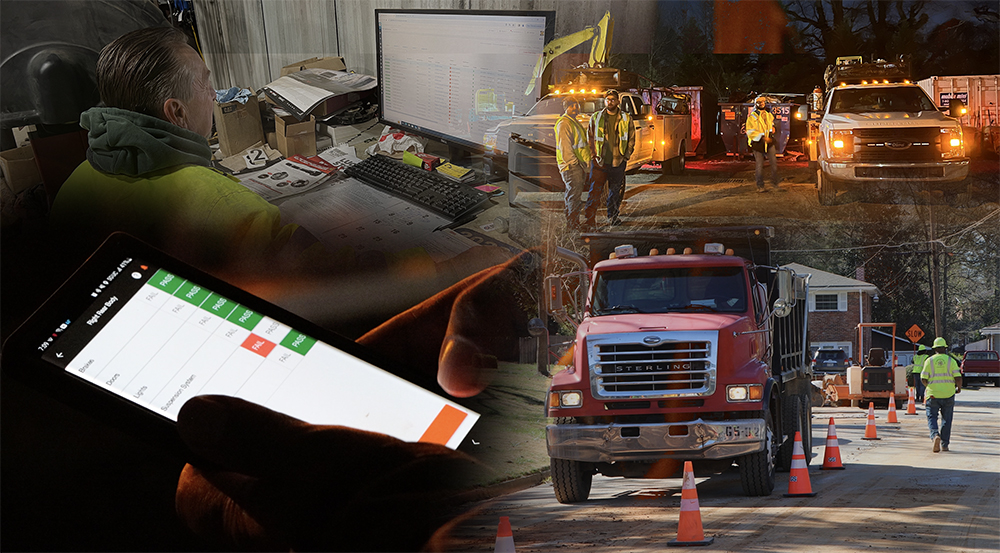
Tenna’s mobile DVIRs let drivers complete pre- and post-trip inspections from their phones, so defects get reported the same day, not reconstructed a week later.
4. Audit-ready reporting. An inspector asks for specific files in a specific order. The system should pull a driver’s file, logs, and inspection history together, quickly enough that the answer comes during the audit instead of after it.
Curious how these criteria play out across specific platforms? Check out the five best fleet management solutions for construction to see how the leading solutions stack up against one another.
The Difference the Right Fleet Compliance Software Can Make: GS Construction
GS Construction uses Tenna to keep equipment inspection records, accident reports, and its certifications and registrations in one place. Before that, the company had no formal inspection process beyond the DVIR inspections the state required. Now it inspects every road vehicle and every truck that requires a CDL, and it’s rolling the same program out across its equipment. Rodney Dennis, GS Construction’s CIO, says the change gives the company much better visibility into the condition of its fleet, and it has helped keep repair costs down and equipment running more often.
Read GS Construction’s full customer story
Simplify Fleet Compliance with Tenna
Compliance touches nearly everything a construction fleet does. It keeps trucks on the road, crews on schedule, and bids competitive, and it’s the evidence you’ll want when something goes wrong. Records are easy to let slip when they’re spread across folders, spreadsheets, and calendar reminders, and most fleets only notice the holes when someone asks for a file.
But fleet managers don’t have to manage it alone. The right platform tracks expirations, captures hours and inspections from the field, and keeps the paperwork in one place, so the work happens in the background instead of at the last minute.
If you’re in the market for software to help you stay compliant and up to date, add Tenna to your list to check out. Drivers log hours and complete DVIRs from their phones, managers see defects and missed inspections as they happen, and equipment inspections run on checklists built for each type of asset. Fleet and Equipment Director Jerry Ferdun of Nor-Cal Pipeline put the benefit simply: “Tenna consolidates everything into one place.” Book a demo below to experience the difference for yourself.